Today dashboard
See the next useful task, exam pressure, revision signals, and study progress.
FEATURE GUIDE · EXAMS
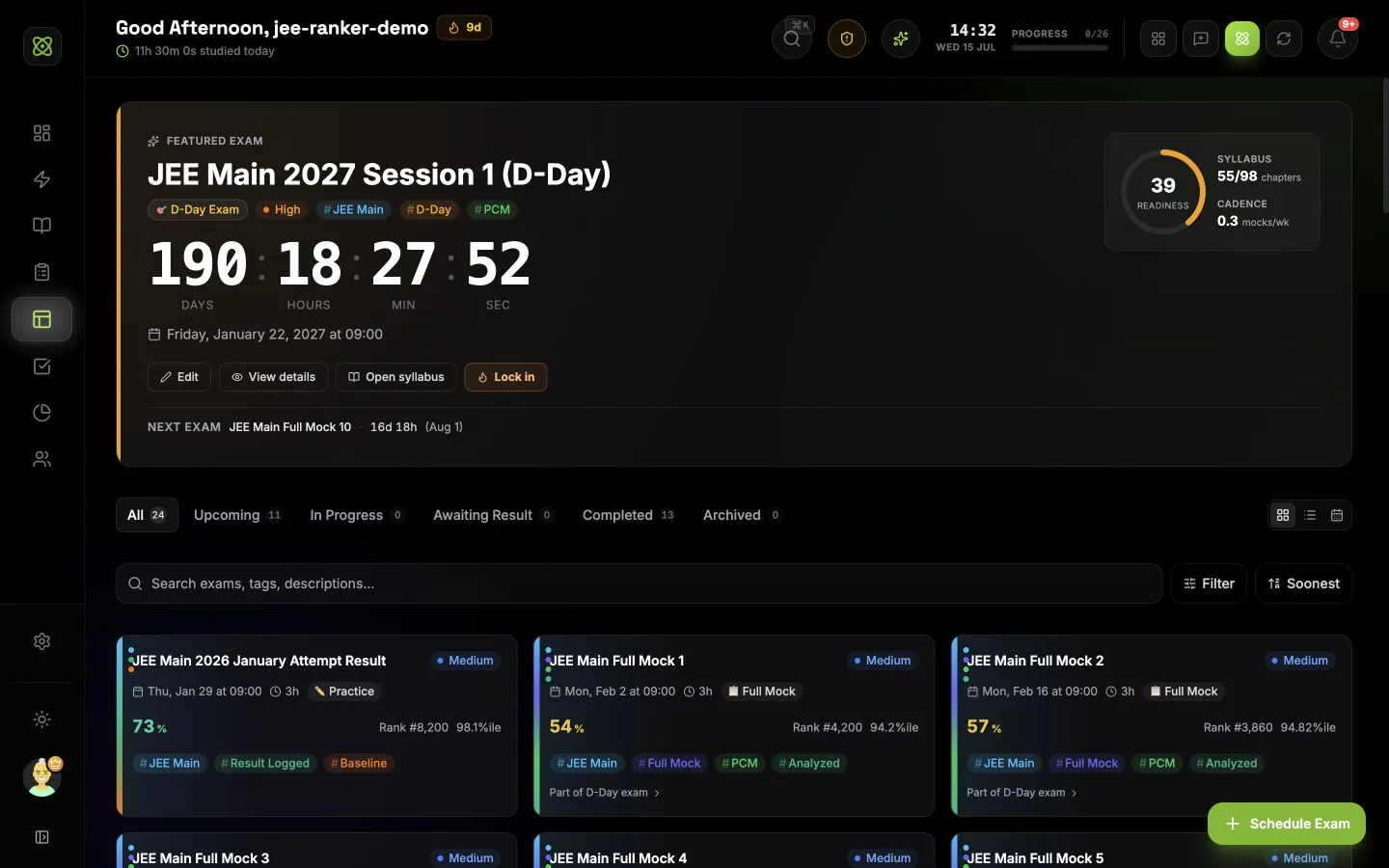
Keep D-Day countdowns, mapped syllabus, result dates, scores, mistakes, weak chapters, and linked mock attempts on one connected timeline.
CONNECTED WORKFLOW
See the next useful task, exam pressure, revision signals, and study progress.
Turn chapters, mocks, habits, and revision into work you can schedule and start.
Study with the task, subject, chapter, questions, and session result attached.
Track every subject, chapter, topic, revision date, and weak area in one map.
Shape the next seven days from real deadlines, coverage, recall, and study history.
Understand time, questions, subjects, mocks, consistency, and focus quality.
Share today with trusted buddies and join exam groups ranked by exact focus time.
COMMON QUESTIONS
You can schedule a D-Day exam, full mock, sectional test, or practice attempt. Each exam can include a date, start time, duration, priority, description, tags, color, mapped syllabus chapters, marking scheme, result date, and result link.
Yes. Link mocks, sectional tests, or practice attempts to a D-Day exam. IsotopeAI can then show the number of linked attempts, average and best scores, score trajectory, readiness signals, and the difference between mock performance and the final result.
You can log the score, total marks, accuracy, rank, percentile, cutoff, time taken, negative marks, subject scores, correct, incorrect and unattempted questions, error themes, and post-exam notes. Optional cohort and topper scores add more context.
Yes. Map an exam to syllabus chapters and see coverage based on the topics completed inside those chapters. Weak mapped chapters can open directly in Syllabus or Chapter Hub for notes, mistakes, questions, flashcards, and revision work.
Logged results feed score trends, rolling averages, subject performance, accuracy, consistency, exam pressure, error patterns, D-Day readiness, and the subject mastery heatmap. You can then create revision tasks or open the weak chapter that needs work.
Yes. Choose grid, list, or calendar view; filter by lifecycle, exam type, priority, and tag; search titles, descriptions, and tags; and sort by date, title, priority, or score. The chosen main view is saved on the device. Exams can also use custom colors and tag colors.