Today dashboard
See the next useful task, exam pressure, revision signals, and study progress.
FEATURE GUIDE · SYLLABUS
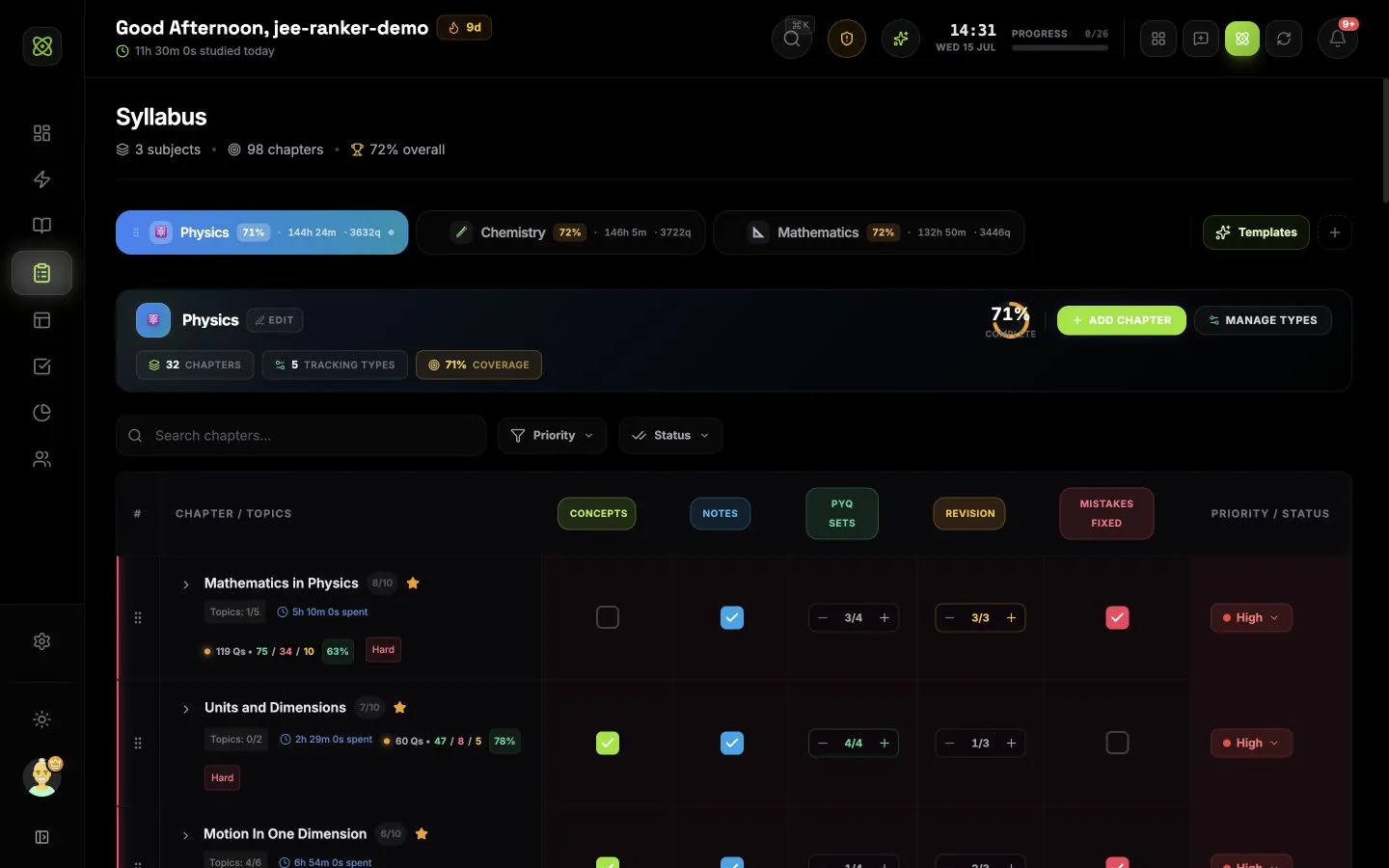
Build a syllabus for JEE, NEET, BITSAT, boards, university, or any custom exam and connect coverage with time, questions, accuracy, and priority.
CONNECTED WORKFLOW
See the next useful task, exam pressure, revision signals, and study progress.
Turn chapters, mocks, habits, and revision into work you can schedule and start.
Study with the task, subject, chapter, questions, and session result attached.
Connect countdowns, mocks, mapped syllabus, scores, mistakes, and readiness.
Shape the next seven days from real deadlines, coverage, recall, and study history.
Understand time, questions, subjects, mocks, consistency, and focus quality.
Share today with trusted buddies and join exam groups ranked by exact focus time.
COMMON QUESTIONS
It is a subject, chapter, topic, and subtopic tracker that keeps coverage, priorities, revision marks, study time, question results, tasks, exams, and chapter work connected. The syllabus becomes the shared academic structure used across IsotopeAI.
Yes. IsotopeAI includes selectable syllabus templates for supported exams such as JEE and NEET. You can choose the subjects you need, change the structure, or create a completely custom syllabus for another exam or course.
Yes. Templates are optional. You can create custom subjects, add and reorder chapters, add topics and subtopics, rename items, and remove anything that does not match your course.
Yes. Each subject can have its own tracking columns. A column can be a checkbox or a repeat counter with an optional target. You can name it, choose its color and icon, reorder it, update a full column or chapter at once, and copy the setup to other subjects.
Completed Focus sessions can write study time and question records against the selected subject, chapter, and topic. Syllabus then shows those signals beside the relevant work when enough data exists.
Yes. You can create a linked task from a chapter or topic. The task keeps the syllabus context, and starting Focus from that task can carry the same subject, chapter, and topic into the study session.