Today dashboard
See the next useful task, exam pressure, revision signals, and study progress.
FEATURE GUIDE · TASKS
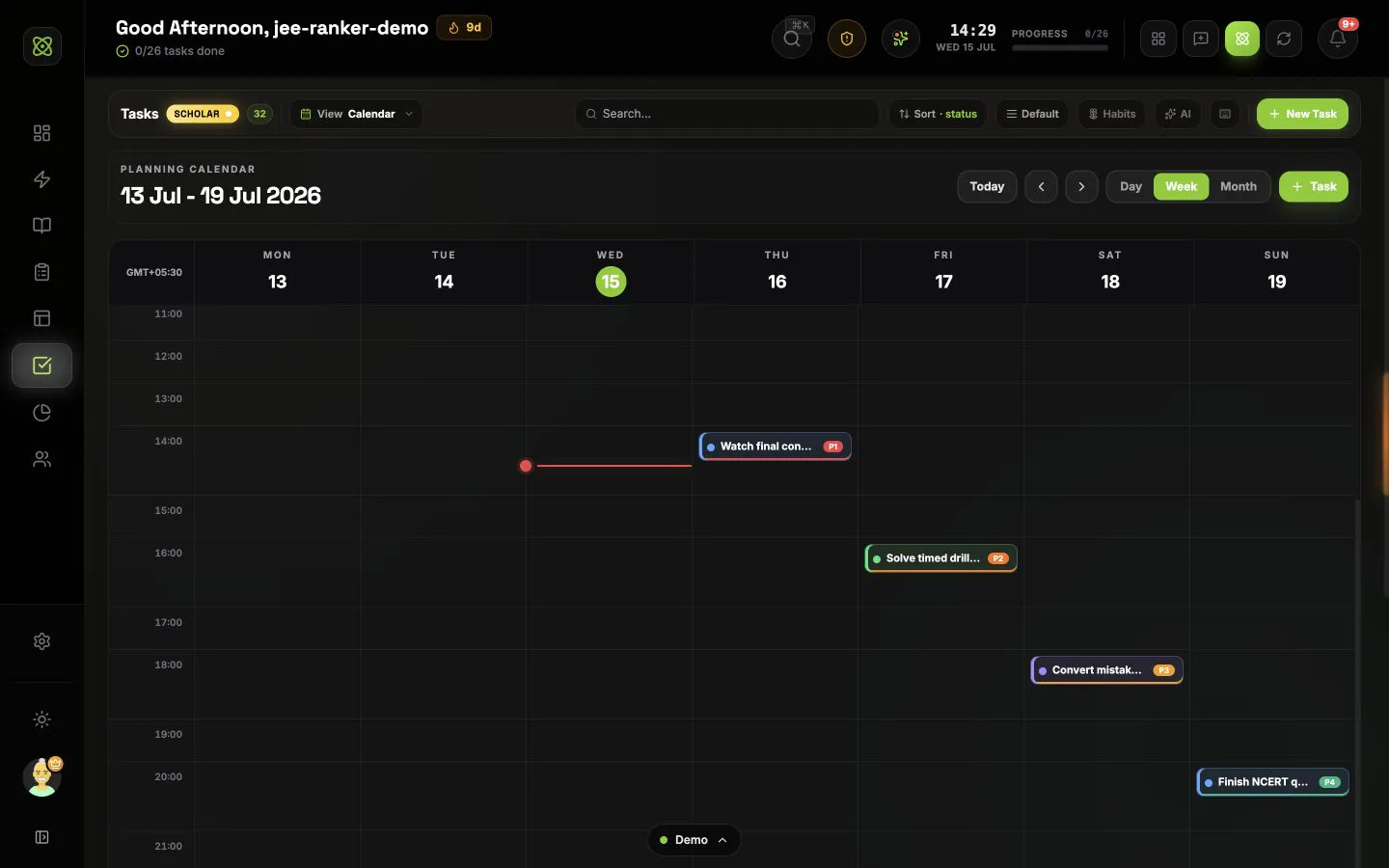
Plan chapters, practice, revision, mocks, habits, recurring work, and subtasks in boards, lists, calendars, Zen view, or a priority matrix.
CONNECTED WORKFLOW
See the next useful task, exam pressure, revision signals, and study progress.
Study with the task, subject, chapter, questions, and session result attached.
Track every subject, chapter, topic, revision date, and weak area in one map.
Connect countdowns, mocks, mapped syllabus, scores, mistakes, and readiness.
Shape the next seven days from real deadlines, coverage, recall, and study history.
Understand time, questions, subjects, mocks, consistency, and focus quality.
Share today with trusted buddies and join exam groups ranked by exact focus time.
COMMON QUESTIONS
A task can keep its subject, chapter, topic, exam, effort, energy, subtasks, priority, and schedule attached. You can then start Focus from that task, see it in Today, place it on the study calendar, and review its time and completion history in Analytics.
You can work in a Kanban board, a sortable table, a day, week, or month planning calendar, a quiet Zen view, or an Eisenhower matrix. Your preferred task experience, view, sorting, grouping, and density can be saved.
Yes. Tasks can link to subjects, chapters, and topics from your syllabus. Exam and syllabus workflows can create revision or result-review work, while the task calendar and Today dashboard help you fit it into the time available.
Yes. A task can repeat daily, weekly, or on a custom interval. You can choose an end date, limit the number of occurrences, and control how early the next task is created. Habits are also available for lighter routines that do not need full task detail.
Yes. The assistant can create, break down, update, move, complete, reopen, restore, schedule, and explain tasks, including bulk changes. It uses the relevant task, syllabus, focus, exam, or analytics context only when needed, and destructive or large actions require confirmation.
Core task and habit editing is local-first and remains available without a connection. An offline banner makes the state clear, and changes can sync after you reconnect. Live cloud integrations and other online services still need internet access.